
New: AI training.Find out more

Microsoft AppSource Certified Visuals

Enterprise-Grade Power BI Custom Visuals

Elevate executive dashboards and operational storytelling with high-impact visuals engineered for Microsoft Power BI.

  • Free in Power BI Desktop & Service
  • 0Trajectory layout modes
  • Microsoft AppSource certified

Roadmap Timeline · Power BI

By Formulate (Evaluation Mode)

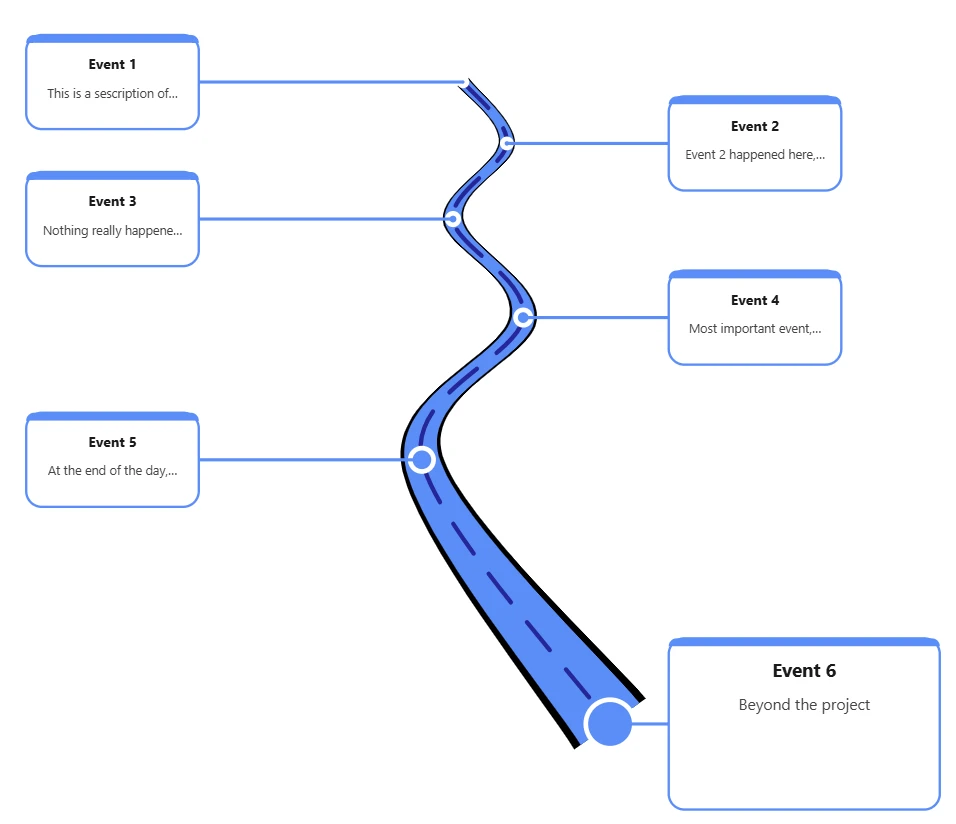
Roadmap Timeline visual for Power BI in the Winding Road layout, with six milestone callout cards along a winding road
Roadmap Timeline visual for Power BI in the Winding Road layout.

Featured Visual

Roadmap & Timeline Visual for Power BI

Render milestone-driven roadmaps, project trajectories, and journey phases with fluid path dynamics.

On this page you'll find the layout styles it supports, real world examples of it in use, how to install it from Microsoft AppSource and how licensing works.

Multiple Trajectory Modes

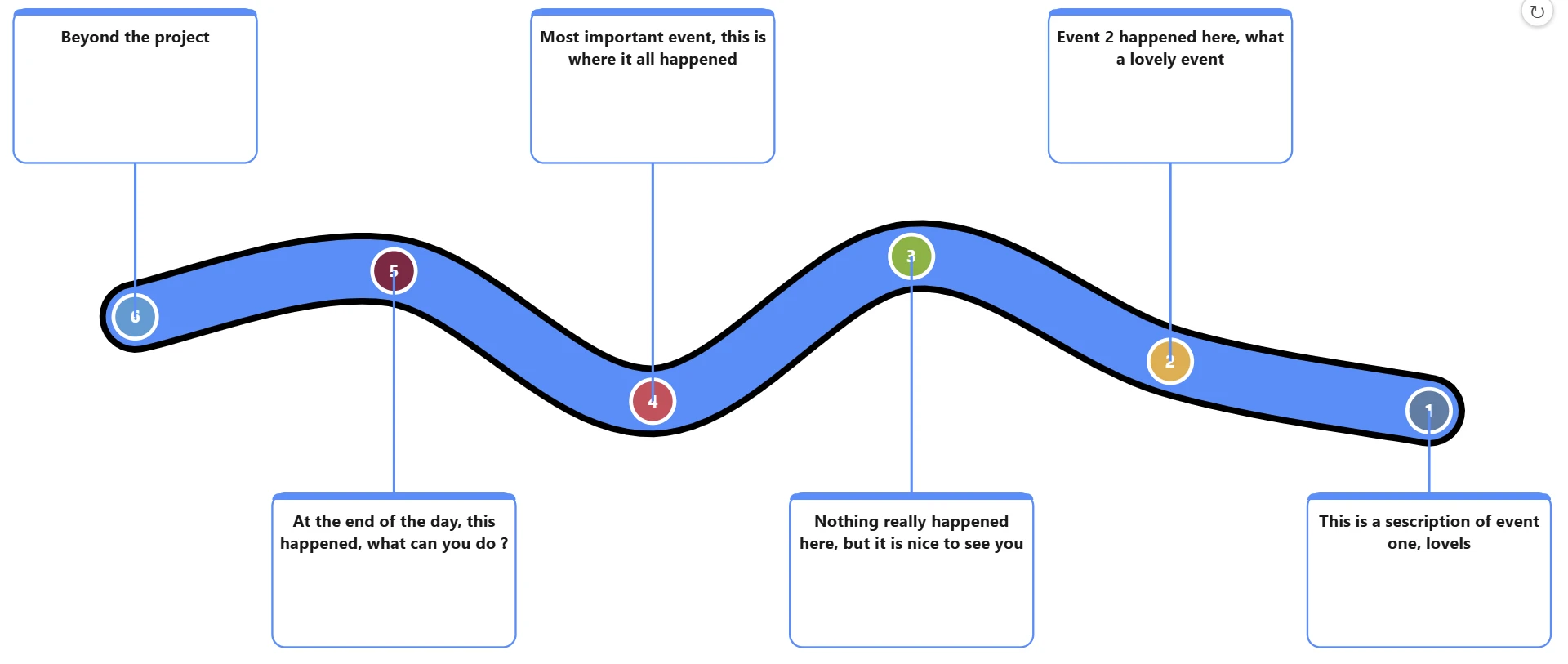
Switch seamlessly between S-Curves, Sinusoidal Waves, Concentric Arcs, Zig Zags, and Linear pathways.

Custom Callout Cards

Display rich contextual data with milestone metadata, sub-descriptions, and status tags with custom border highlights.

Palette & Theme Controls

Adapt node indicator styles, stroke thickness, lane dividers, and background hues matching your brand identity.

Use Cases

Real World Examples of the Roadmap Timeline Visual

Think of it as your project's "what's happening when" cheat sheet: a Roadmap Timeline visual turns a messy list of dates into a clean, colour-coded strip across a calendar, so anyone glancing at it instantly gets which projects, campaigns or features are live, upcoming or overdue, no Gantt chart headaches, no manually redrawn slides, and it updates itself as your data changes.

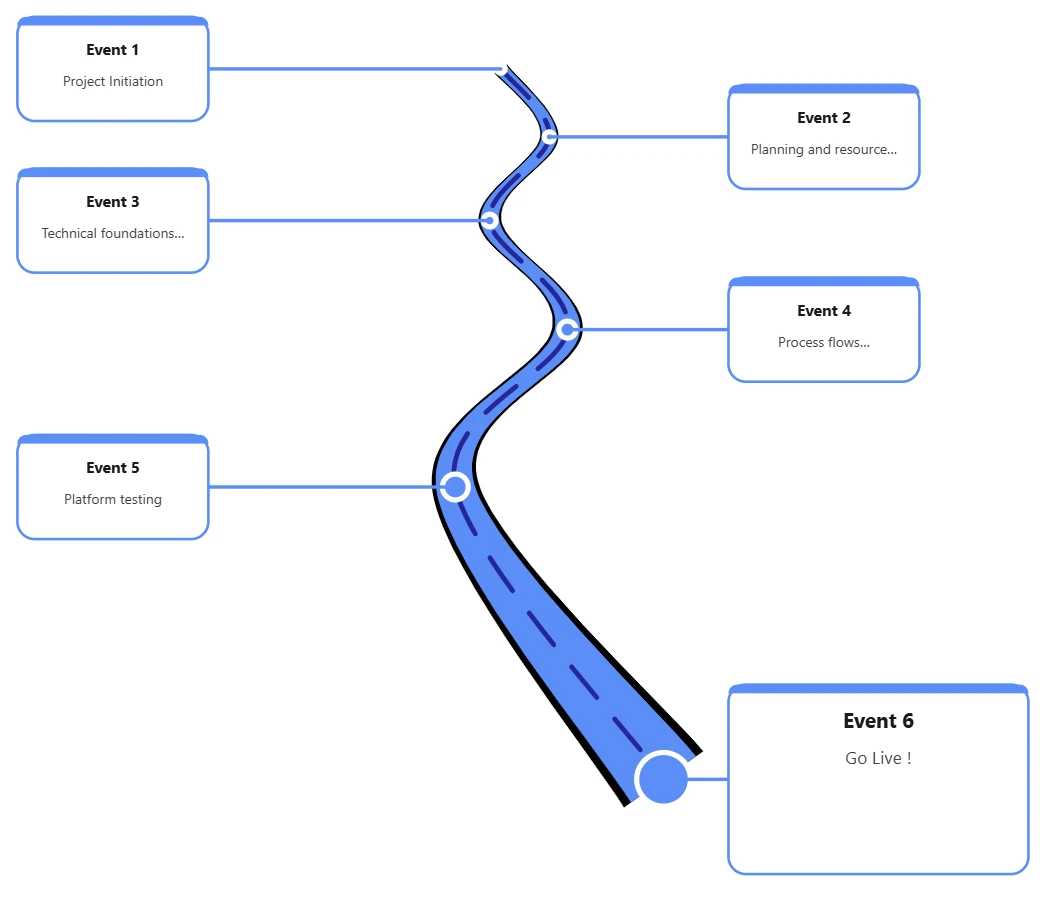
Project delivery roadmap built with the Roadmap Timeline visual in Power BI, showing six milestones from project initiation to go live along a winding road
Project delivery roadmap in Power BI, Winding Road layout.

Example 01

Project Delivery Visualisation Using the Power BI Roadmap Timeline Visual

This example maps a project from start to finish as six milestones along a winding road: Project Initiation, Planning and resourcing, Technical foundations, Process flows, Platform testing and Go Live.

Each milestone sits in its own callout card, so delivery teams and stakeholders can see at a glance where the project is and what comes next.

Get Unlock Code
Example 02

Employee Onboarding Journey Using the Power BI Roadmap Timeline Visual

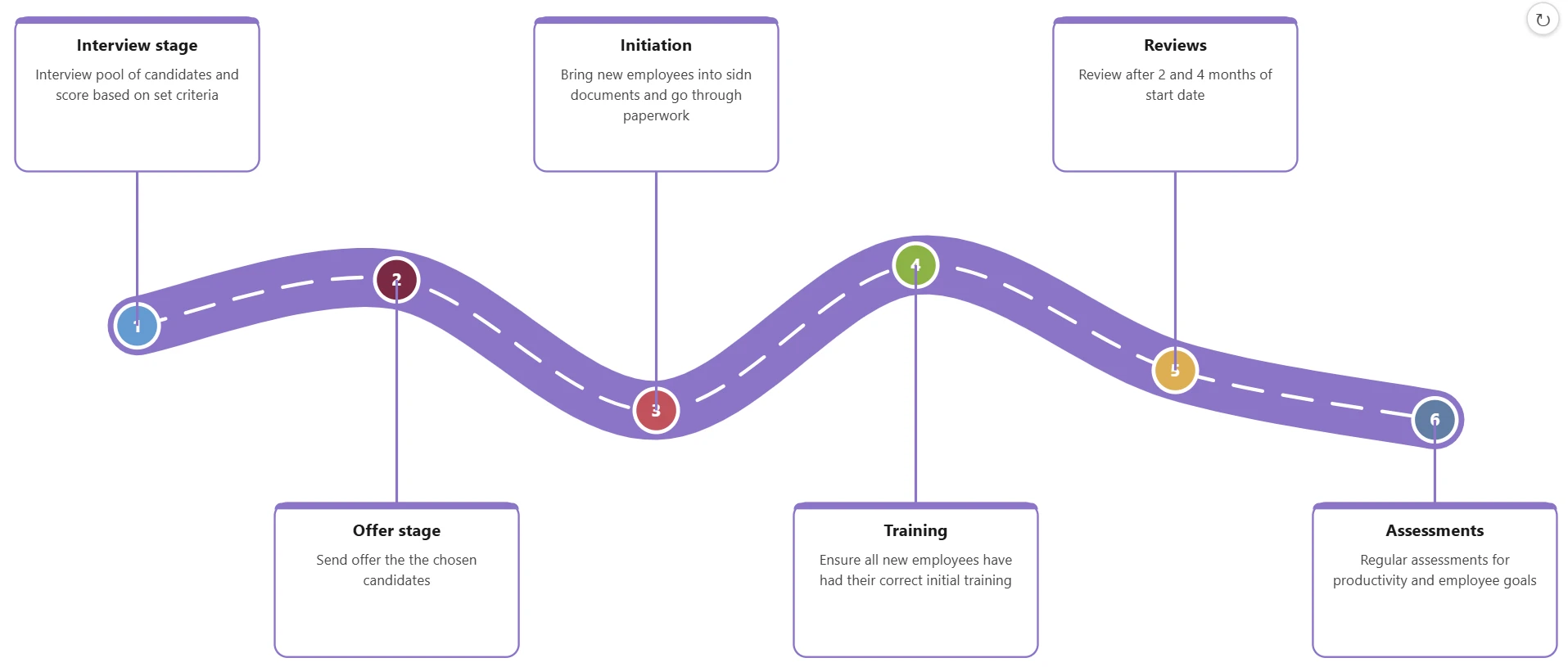
This example shows an employee journey in the Wave layout, from the Interview and Offer stages through Initiation and Training to Reviews and Assessments.

Employee onboarding journey built with the Roadmap Timeline visual in Power BI, showing six numbered stages from interview to assessments along a wave-shaped path
Employee onboarding journey in Power BI, Wave layout.

Getting Started

How to install and use these components?

Simply search the Microsoft App store for PowerBI visuals from within PowerBI for RoadmapTimeline, the custom visual will be added to your report.

Trusted By Enterprises

Who is using these?

Formulate’s custom visual components are trusted by leading enterprises across a wide range of industries—including financial services, banking, insurance, and retail. Organizations leverage these high-impact visuals to transform complex datasets into clear, executive-ready operational dashboards that drive better business decisions.

Install in four steps

  1. 1Open your report in Power BI Desktop or the Power BI Service.
  2. 2In the Visualizations pane, choose Get more visuals to open Microsoft AppSource.
  3. 3Search for RoadmapTimeline and add the visual.
  4. 4The custom visual is added to your report, ready to connect to your milestone data.

Transparent Licensing

Try completely free in Power BI Desktop & Service. Remove the watermark anytime with a low-cost key.

Community & Eval

Full visual functionality for prototyping and report development.

Free

  • •All Layout Modes & Customisations
  • •Direct Microsoft AppSource Import
  • •Discrete Formulate Watermark
Download from Microsoft Store

Production Ready

Unlocked Commercial Key

Clean, executive-ready presentation without watermarks.

Contact/ small fee

  • •Watermark Removed Clean Output
  • •Instant Domain or Tenant Unlock Code
  • •Priority Engineering Email Support
  • •Bulk & Enterprise Volume Discounts
Request Unlock Code Quote

Power BI Custom Visuals

Frequently Asked Questions

What are Power BI custom visuals?

Power BI custom visuals are additional chart types you add to Power BI reports from Microsoft AppSource. Formulate’s custom visuals are engineered for Microsoft Power BI to elevate executive dashboards and operational storytelling.

Is the Roadmap Timeline visual free to use?

Yes. The Community & Eval licence is free in Power BI Desktop and the Power BI Service, with full visual functionality for prototyping and report development and a discrete Formulate watermark.

What does the unlock code do?

The unlock code removes the Formulate watermark for clean, executive-ready output. It is issued as a domain or tenant unlock code and includes priority engineering email support, with bulk and enterprise volume discounts available.

Which layout styles does the Roadmap Timeline visual support?

The Roadmap Timeline visual supports five trajectory modes: Winding Road (S-curves), Wave (sinusoidal waves), Single Arc (concentric arcs), Zig Zag and Straight (linear pathways).

Can I match the visual to my brand?

Yes. Palette and theme controls let you adapt node indicator styles, stroke thickness, lane dividers and background hues to match your brand identity.

How do I get an unlock code?

Request an unlock code using the unlock code form on this page. A member of the Formulate team will be in touch with your domain or tenant unlock code.

What's Next

Visuals Roadmap

We are continuously building more bespoke visuals for the Microsoft AppSource store.

  1. Available Now

    Roadmap Timeline Visual

    Multi-trajectory roadmap paths with rich milestone labels.

  2. In Certification

    KPI Matrix Flow

    Multi-tier KPI hierarchies with trend micro-charts.

  3. In Development

    Executive Milestone Stepper

    Polished stepper and process gates with live status tags.

Formulate Digital

Custom visual inquiries & volume licenses

Engineering-led digital platforms & data visualisations.

By submitting this form you agree to our Privacy & Cookie Policy. This site is protected by reCAPTCHA and the Google Privacy Policy and Terms of Service apply.